Contractor and Integrator Delivery
How Bisly Reduces Building Automation Installation Cost, Errors, and Rework
Bisly changes where building automation is configured. The digital twin exists before installation begins, and installers connect each physical device to that ready-to-run configuration by scanning it on site. The result is less manual setup, immediate verification, automatic documentation, and fewer opportunities for costly rework.
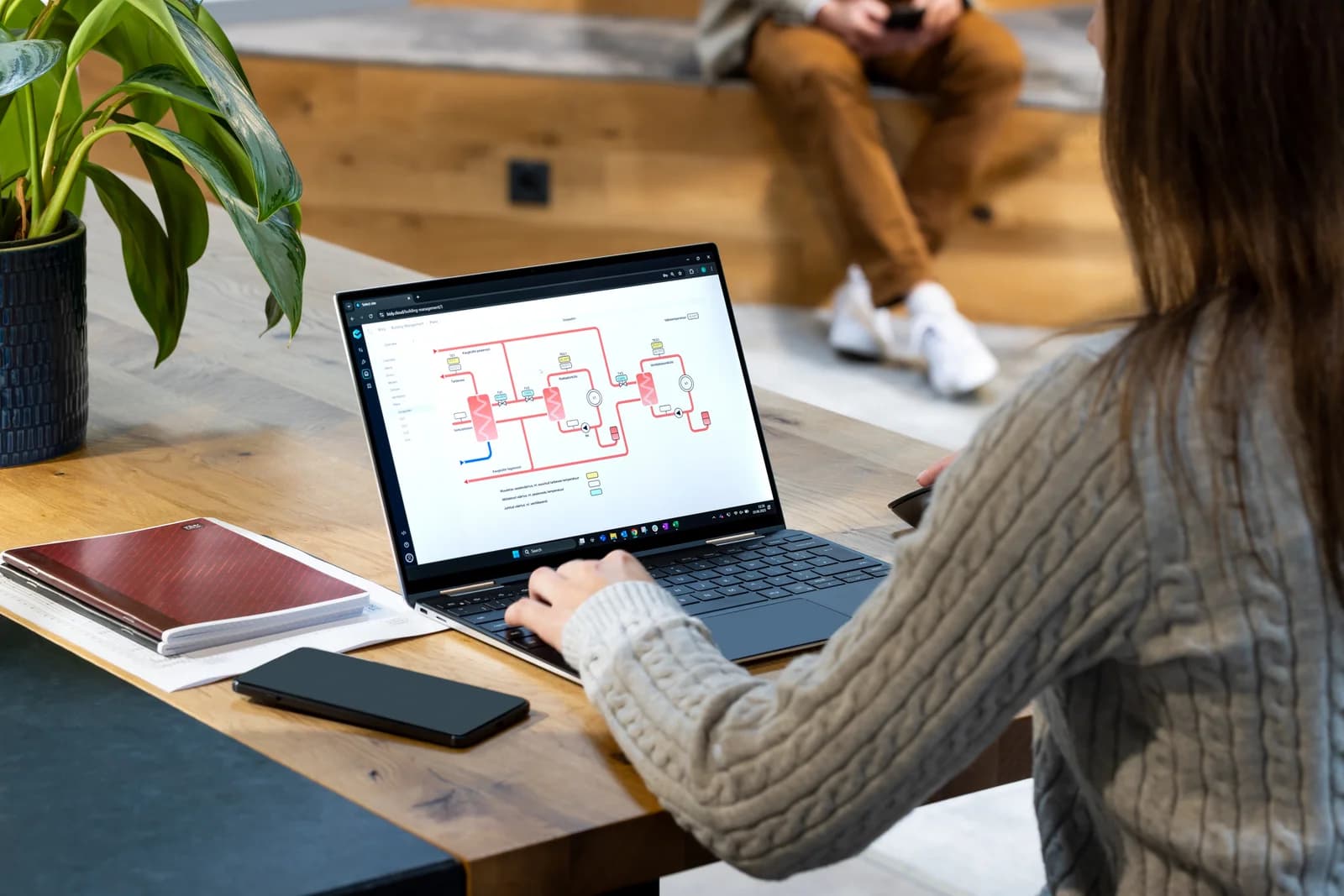
The Cost of Building Automation Is Not Just the Hardware
When developers compare building automation systems, hardware price gets a great deal of attention. Controllers. Sensors. Panels. Thermostats. Gateways. Servers. But a significant portion of the real project cost happens somewhere else. It happens in engineering. Programming. Point mapping. Field coordination. Commissioning. Troubleshooting. Documentation. And rework. Traditional building automation frequently requires highly trained specialists to turn installed hardware into an operating system after the physical construction work has already taken place.
Bisly approaches the problem differently.
The system begins becoming operational before the first device is installed.
The Digital Twin Starts During Quotation
One of the most important differences in the Bisly workflow happens unusually early. The digital twin is created as the building automation system is being configured and quoted. The building is structured digitally. Rooms and spaces are established. Desired functions are selected. Required hardware can be associated with those functions. Apartment and room types can be standardized. Automation logic can be prepared. This means the quotation is not merely a spreadsheet containing quantities and prices.
It is the beginning of the operational model of the building. As the project progresses from quotation into design and delivery, that same model continues forward. There is no need to start from zero when construction begins.
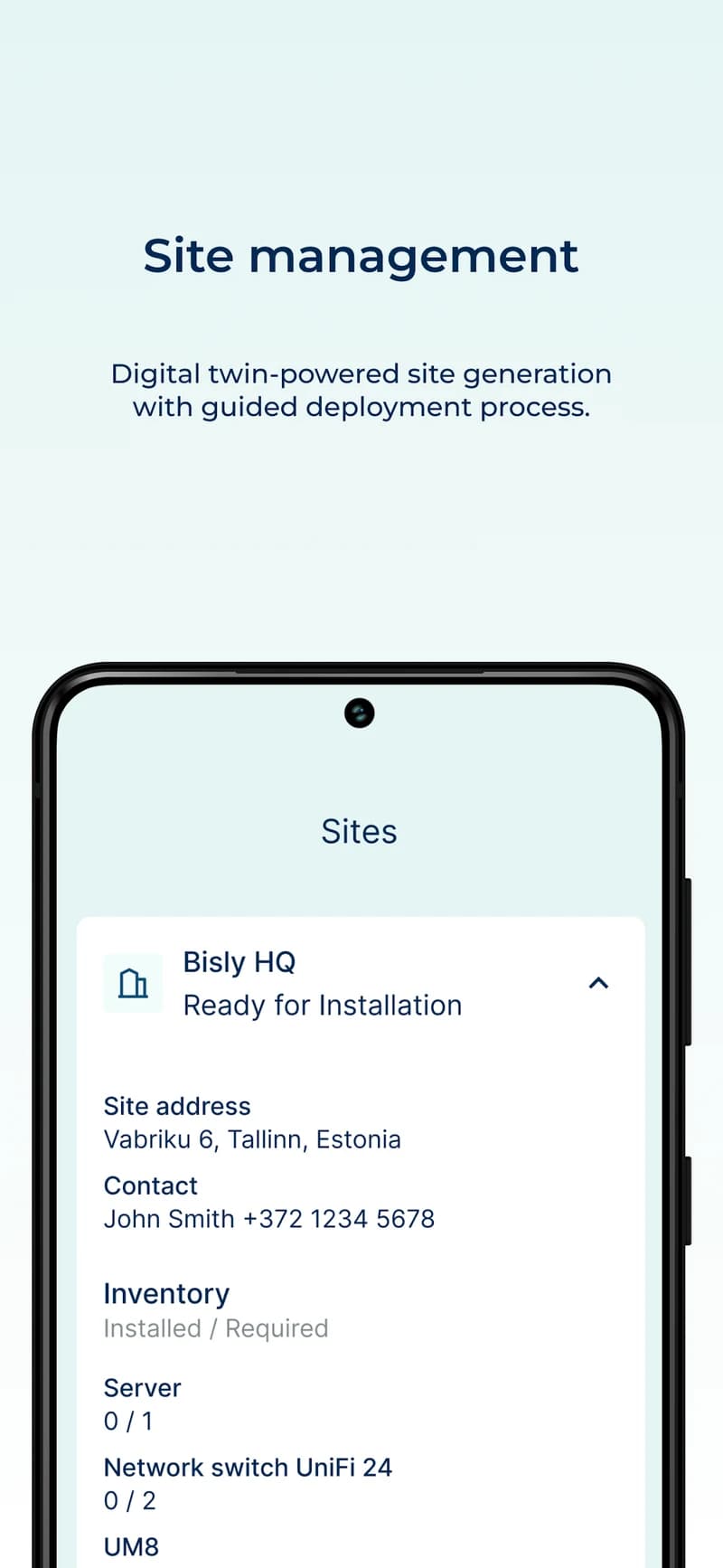
Configure Once. Deploy Repeatedly.
This is particularly important in multifamily construction. A 300-unit development may have only a handful of apartment types. Once the automation design for each type has been established, the configuration can be repeated across similar units. The software already understands what equipment should exist in each location and what that equipment is supposed to do. The jobsite therefore becomes a deployment environment rather than a programming environment. That distinction has significant cost implications.
Instead of asking highly specialized controls engineers to manually configure hundreds of repetitive spaces, the system uses templates and the digital twin to carry those decisions into the field.
Continue reading: panel-based multifamily automation.
The Installer Connects the Physical Device to Its Digital Counterpart
Once an installer physically mounts and wires a Bisly device, the Bisly Installer application guides the next step. The installer selects the expected device in the project and scans the QR code on the physical equipment. That scan associates the real device with its counterpart in the building's digital twin. The platform already knows where the device belongs. It knows which room or system it serves.
And it already has the configuration associated with that location. The installer is therefore not manually typing addresses or recreating configuration information. They are connecting a physical device to a system that has already been prepared for it.
Scan. Bind. Verify.
Bisly calls this workflow Scan-to-Connect. Its current deployment documentation describes QR-code binding as a replacement for manual point mapping. [1]
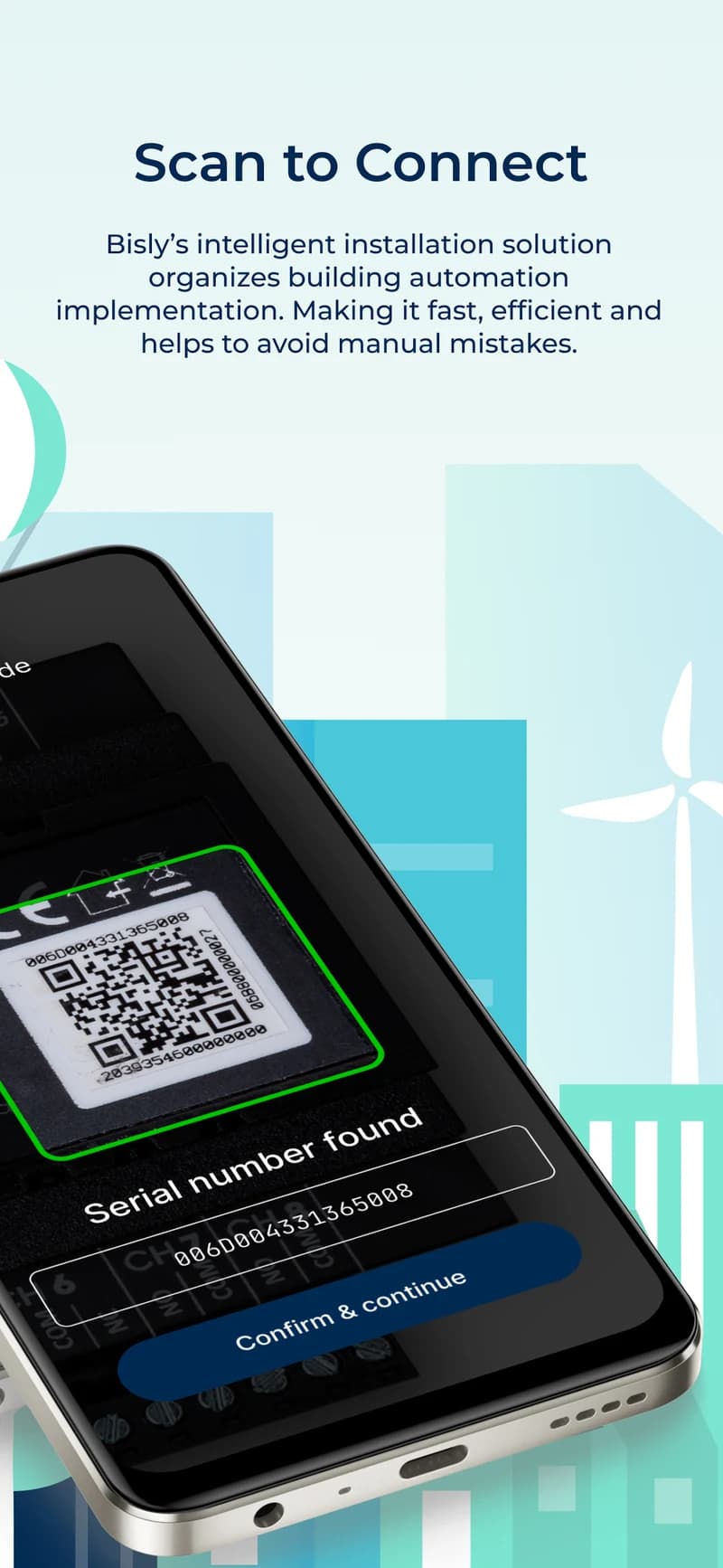
The Device Becomes Useful Immediately
This is where the digital twin becomes much more than a visualization tool. The physical installation and the software configuration meet at the moment the device is registered. The installer is not handing an unidentified piece of equipment to a controls engineer for configuration at some future date. The system already understands the device's role.
Once the device has been successfully associated and verified, its prepared configuration can become part of the live automation system immediately. Instead of the conventional sequence—
install everything → map everything → program everything → troubleshoot everything → commission everything
—the workflow becomes progressively operational:
preconfigure → install → scan → verify → move on.
That allows commissioning to occur alongside installation rather than becoming a massive exercise at the end of the project.
A Photograph Becomes Part of the Installation Record
Device registration does something else that is deceptively valuable. As part of the installation workflow, the installer captures a photograph of the installed equipment. That image becomes part of the digital installation record. Now the project has more than a device ID. It has evidence of the physical installation associated with that specific digital device and location. This creates a simple but powerful feedback loop. The installer confirms what was installed.
The project team gains immediate documentation. The digital twin receives a verified physical counterpart. And future technicians have a better record of what was actually delivered. Bisly's Installer application describes the process as automated documentation and real-time verification, while the current app imagery explicitly highlights documented installations. [2]
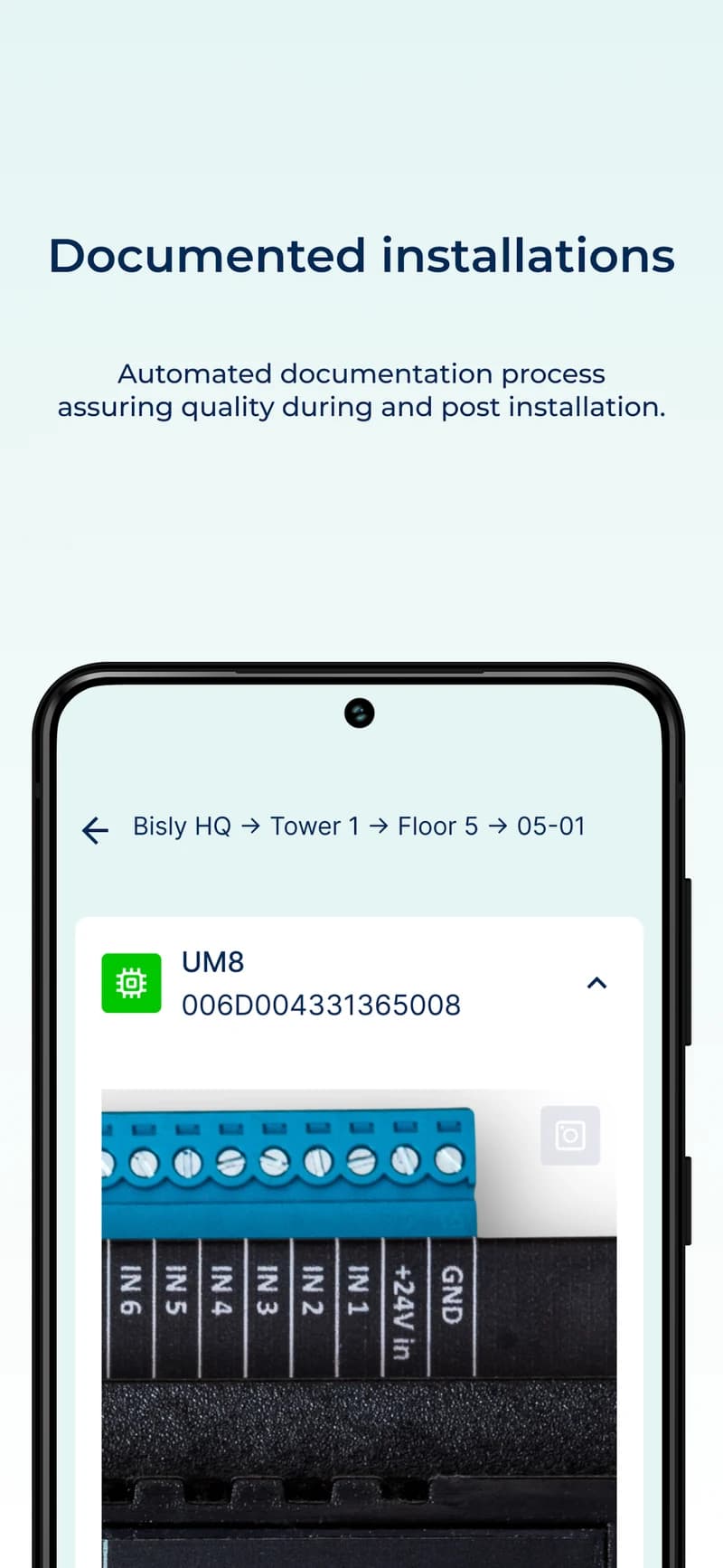
Documentation Is Created During the Work — Not Reconstructed Afterward
Construction documentation often has an inherent weakness. It is created after the event. Technicians install equipment. Someone takes notes. Spreadsheets get updated. Photographs sit on phones. Markups are reconciled. Weeks later, someone attempts to assemble an accurate record of what happened. Information inevitably gets lost. Bisly's workflow reverses that process. Documentation is generated as part of performing the installation itself. The guided workflow keeps device configuration and its installation record connected to the project model.
Device registration, verification, and documentation become parts of the same workflow. That can create significantly cleaner handover information.
Errors Can Be Caught Before They Become Rework
The costliest installation errors are often not the errors themselves. They are the delay between when the error occurs and when it is discovered. Imagine a repeated wiring or configuration mistake being made in forty apartments before commissioning begins. The original task may have taken only a few minutes per apartment. Correcting forty completed apartments can mean opening panels again, coordinating access, tracing wiring, updating records, retesting equipment, and potentially affecting other trades.
Finding the problem after apartment number three is very different from finding it after apartment number forty. A guided digital workflow makes earlier verification possible. The platform knows what device is expected. The installer scans the actual device. The installation can be documented. The device can be checked. Problems therefore have an opportunity to surface while the installer is still working in that area. This is how reducing installation errors also reduces rework.
Fewer Manual Translations Means Fewer Opportunities for Mistakes
Traditional automation projects can involve multiple translations of the same information. The engineer creates a control drawing. The contractor interprets the drawing. The installer labels equipment. Someone records addresses. An integrator imports or manually enters points. A programmer maps those points to software objects. A commissioning engineer determines whether everything matches. Every translation introduces another opportunity for inconsistency. Digital continuity eliminates many of those translations.
The device in the field is connected directly to the object that already exists in the digital building model. That is a much simpler information chain.
The Benefit Is Greater as the Project Gets Larger
Saving several minutes on one device is not particularly interesting. Saving those minutes across thousands of devices is. Preventing one configuration error is useful. Preventing a repeated error across an entire apartment stack is far more valuable. This is why Bisly's approach is particularly suited to multifamily and other repetitive building types. Software handles repetition extremely well. Construction traditionally does not.
The more standardized the building becomes, the more valuable a repeatable digital deployment process can become.
Installation Cost Becomes a Software Problem
Bisly publicly states that its deployment platform can deliver commissioning up to 4.5 times faster than traditional methods and cites a 75% reduction in installation labor cost through the Installer App. Actual savings will naturally vary by project, scope, labor rates, system complexity, and comparison baseline. [1] The more interesting point, however, is how those reductions become possible. They do not come from asking electricians to work four times faster. They come from eliminating work.
Less manual point mapping. Less custom programming. Less repetitive configuration. Less reconstruction of documentation. Earlier verification. Fewer opportunities for installation mistakes. Less rework. Faster commissioning. That is a fundamentally different way to attack building-automation cost.
From Quote to Operations, One Continuous Model
The larger idea behind Bisly is not simply an installer application. It is continuity. The digital twin begins during configuration and quotation. It helps define what will be purchased. It carries that intent into installation. The installer connects physical equipment to it. The installation process verifies and documents what was built. The same model then supports commissioning and ultimately building operations.
Instead of creating one representation of the building for design, another for construction, another for controls, and another for facility management, the digital model becomes a continuous thread through the project. That is where the operational digital twin becomes particularly valuable. It is not something created after the building is finished.
It helps build the building correctly in the first place.
Continue reading: planning intelligent infrastructure.
References
See the Bisly installation workflow
IBIS Group USA is Bisly's U.S. delivery partner, working with developers, electrical contractors, MEP firms, and system integrators to bring this deployment model to American projects.